

Interview integrity
Integrity flags you can check yourself.
Tab switches, a second voice and time off screen, each pinned to its moment in the recording. A person reviews. Flags never change the score.
Maria S.
Home Care Aide · Helping Hands Staffing

Integrity
- Tab switches1 · 07:24, 2 s
- Second voice1 · 04:12, 5 s
- Off screen1 · 06:10, 8 s
- AudioWeak 05:58 to 06:20
- DeviceLaptop · Chrome
No face in view, 8 s
Often: stepped away, camera moved, low light. Weak connection at the same time.
For a person to review. Never part of the score.
Timestamped
Every flag points to its moment in the recording.
Kept out of the score
Flags sit beside the score, never inside it.
No face recognition
We check that a face is in view, not whose face it is.
Told up front
Applicants see what is checked before the first question.
01 · How it works
Noted, shown, decided by a person.
Remote interviews are easier to take and easier to get help with. Your team should see what happened, not guess.
- 01
Told before it starts
The consent screen lists the checks. The applicant agrees, and that is saved with a timestamp.
- 02
Noted as it happens
Tab switches, other voices and time off screen are logged against the recording.
- 03
Checked by your team
Open a flag, watch the moment, mark it. The call is yours.
02 · What gets flagged
A few clear events, each one on the record.
01 / 05 · Tab switches
When the interview tab goes away.
See each time the applicant left the interview tab, when, and for how long.
A phone call or a locked screen looks the same. That is why a person reviews it.
Tab switches
Maria S.- Left the interview tab07:24 · 2 sLogged
- Left the interview tab03:05 · 1 sLogged
- Left the interview tab08:41 · 19 sFlagged
02 / 05 · Second voice
Another voice in the room.
Hear the exact moment someone other than the applicant spoke, with the clip ready to play.
A TV, a child or an interpreter can do this too. Listen, then decide.
Voices
03:50 to 04:4003 / 05 · Off screen
Out of view, on the record.
See when no one was in front of the camera, and for how long.
We check that a face is in view. We never check whose face it is.
Off screen
Maria S.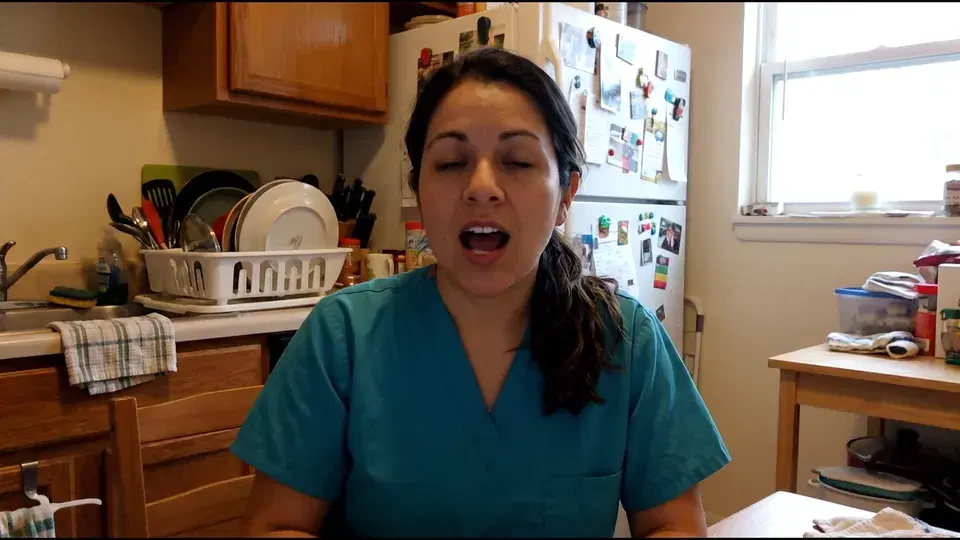
05:40
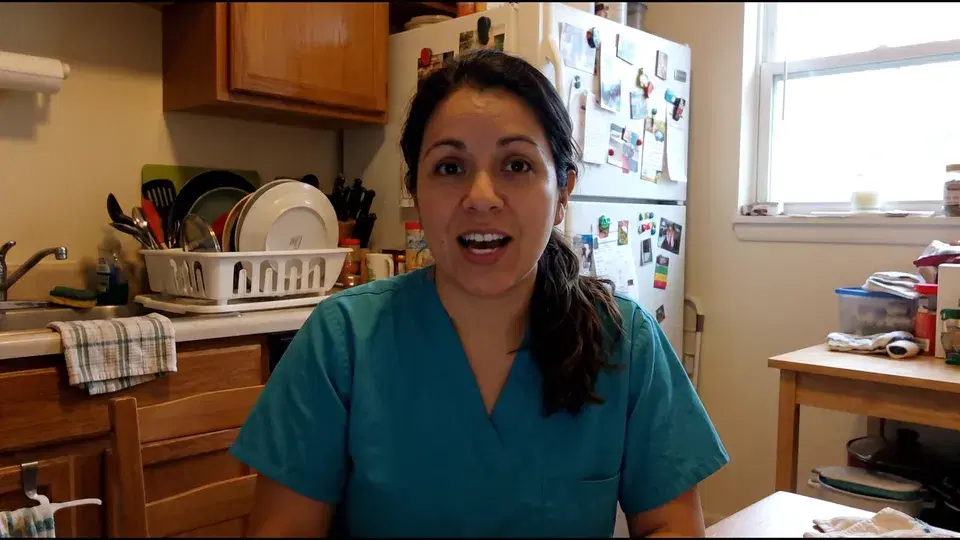
06:00
06:10
06:20
04 / 05 · Context
Context that explains the rest.
Connection quality, mic and device sit next to the flags, so a bad line reads as a bad line.
A dropped signal and an empty frame at the same moment tell their own story.
Context
Audio and device05 / 05 · Follow-ups
Questions a script can’t answer.
Emma asks for the applicant’s own example, then asks about the details.
Real experience holds up under a second question. You hear it in the recording.
AITell me about the last time you helped someone move from a bed to a chair.
ApplicantI’ve done it plenty. I always use a gait belt.
AIFollow-upHave you ever used a mechanical lift, like a hoist?
ApplicantNo, never a hoist.
What lands on the scorecard
Comfortable with lifts and transfers
“I’ve used a gait belt, but never a hoist.”
Probe in interview05:20
03 · Left out on purpose
What we don’t check, and why.
- No face recognitionNo facial templates, no identity matching.
- No emotion readingExpressions and tone are never read or scored.
- No eye trackingLooking away to think is normal.
- No cheat scoreYou get moments to review, not a verdict.
- No auto-reject or holdA flag waits for a person.
- No penalty for accommodationsApproved help is labeled for the reviewer.
Flags are kept out of the interview score and the ranking.
04 · Review
Review a flag without the guesswork.
- Jump straight to the moment from the flag
- See the likely causes and any accommodation on file
- Mark it No concern or Follow up, with a note
- Every review is saved to the audit log with who and when
Flag · Off screen
06:10, 8 s06:05 to 06:20Often: stepped away, camera moved, low light.
Reviewed by J. Rivera · Oct 27, 3:14 pm · saved to audit log
Before we start
Emma is an AI interviewer. This interview is recorded.
What we check
- Leaving the interview tab
- Other voices in the room
- Time with no one in view
A person reviews anything noted. It never changes your score.
Need an accommodation? Ask here
05 · For applicants
Fair to the person on camera.
- Applicants see what is checked before they agree
- If someone is helping them, or they use assistive tech, they can say so up front
- They can ask for an accommodation or a different way to interview
Built with US hiring and privacy rules in mind
- Notice and consent before the first question, saved with a timestamp.
- No biometric identifiers collected for integrity checks.
- Recordings kept 90 days. Flags stay with the decision record.
- Applicants can ask for their data to be deleted.
Your counsel decides how each rule applies to your hiring.
06 · Questions
Integrity, plainly answered.
Something else? support@screenwith.ai
See the whole interview on the AI interviewer page.
What does ScreenWith AI flag during an interview?
Tab switches, a second voice in the audio and time with no one in view of the camera. Each flag shows its time and length and links to the moment in the recording. Audio quality and device details sit beside them for context.
Can it detect cheating?
It shows moments worth a look, not a verdict. A flag means something happened, like the tab going out of view. It does not mean the applicant cheated. A person on your team watches the moment and decides.
Does a flag lower the score or reject the applicant?
No. Flags are kept out of the interview score and the ranking. Nobody is held back or rejected because of a flag. Your team reviews it and makes the call.
Do you use face recognition or read emotions?
No. We check whether a face is in view, not who it is. That check runs on the applicant’s device and no face data is kept. We do not read emotions, expressions or tone, and we do not track eye movement.
Is this the same as proctoring?
No. There is no lockdown browser, no screen sharing and no second camera. Applicants join from a normal browser on a phone or computer. We note a few clear events and leave the judgment to a person.
What if someone is helping the applicant for a disability or language reason?
The applicant can say so before the interview starts, or ask for an accommodation. The reviewer sees the note next to any related flag, so approved help never counts against anyone.
Can it tell if an applicant is using an AI tool?
Not directly, and no browser tool can see everything. Emma asks for the applicant’s own examples and follows up on the details, which a script struggles with. Tab switches and other voices are flagged, and the full recording is there to review.
Do applicants know about the checks, and who sees the flags?
Yes. The consent screen lists what is checked before the first question, and their agreement is saved. Only your team sees the flags. Recordings are kept for 90 days, and an applicant can ask for deletion.
Interview everyone. Decide with evidence.
Your team makes the call. We handle the first round.